


Creating a website focused on HTML games is not just a fun and creative endeavor—it’s also a way to earn revenue while offering visitors a fun experience. By leveraging the power of Google AdSense, you can monetize your gaming website and create a steady stream of passive income. In this article, we will guide you step by step on how to build an HTML games website and integrate Google AdSense for monetization. Whether you’re a beginner or an experienced developer, this guide will help you get started on your journey to success.
Why Create an HTML Games Website?
HTML5 games are a fantastic choice for website development because they are lightweight, mobile-friendly, and compatible with all modern web browsers. The rise of mobile gaming, combined with the simplicity of HTML5 game development, has made it one of the most popular forms of online entertainment. Unlike other game development formats that require specialized software or large file downloads, HTML5 games can be easily embedded into a website, making them accessible to anyone with an internet connection.
HTML games also present an opportunity for earning money through advertising. By integrating Google AdSense, a widely trusted advertising network, you can earn revenue every time users interact with your ads. With millions of people browsing the internet daily, you can take advantage of this vast audience and turn your website into a profitable venture.
Step 1: Plan and Develop Your HTML Games
The first step in creating an HTML games website is to design and develop the games that will attract players. Your games should be engaging, fun, and easy to play. Here are a few things to consider:
a. Choose the Right Type of Games
There are different types of HTML5 games you can create, and your choice will depend on your skills, target audience, and the type of experience you want to offer. Some popular categories include:
- Arcade Games: These games are quick, easy to learn, and can be played in short bursts. Examples include puzzle games, shooters, and platformers.
- Strategy Games: These games are more in-depth and require players to think critically. Examples include tower defense and card games.
- Casual Games: Casual games are simple, fun, and can be played at any time. Examples include endless runners, matching games, and trivia.
- Multiplayer Games: These games allow users to play against or cooperate with others. Multiplayer games can increase engagement by allowing friends to compete or team up together.
b. Learn the Basics of HTML5 Game Development
To create HTML5 games, you need to be familiar with HTML, CSS, and JavaScript. HTML will provide the structure, CSS will handle the design, and JavaScript will bring the interactivity and logic to your game. If you’re new to HTML5 game development, consider using game development frameworks like Phaser.js, Three.js, or PlayCanvas, which simplify the process of building games.
c. Optimize for Mobile
Since a large percentage of internet users browse on their mobile devices, it’s crucial that your games are mobile-friendly. Make sure your HTML5 games are responsive, meaning they adapt to various screen sizes without compromising the user experience. Testing your games on different devices and browsers is important to ensure smooth gameplay for all users.
d. Focus on User Engagement
To ensure that users keep coming back to your website, create games that are engaging and have high replay value. Implement features such as leaderboards, achievements, levels, and rewards to keep players hooked. The longer players stay on your website, the more opportunities there are for them to interact with ads and generate revenue for you.
Step 2: Set Up Your Website to Host HTML5 Games
Once you have developed your HTML games, it’s time to create a website to host them. There are two primary ways to go about this: using a website builder or coding it yourself.
a. Using a Website Builder (e.g., WordPress, Wix)
For those who are not familiar with coding or want to save time, website builders like WordPress or Wix can be an excellent option. These platforms offer easy-to-use templates and drag-and-drop functionality, making it simple to set up a website without technical expertise.
- WordPress is a highly customizable content management system (CMS) with a large selection of plugins and themes. You can create a custom theme or choose a pre-built gaming theme that fits your style. There are plugins available that make embedding HTML5 games into your site easy.
- Wix is another user-friendly website builder with an intuitive drag-and-drop interface. Wix also offers gaming templates that allow you to quickly build a gaming site without the need for coding.
b. Custom Website Development
If you want complete control over the design and functionality of your website, you can build your site from scratch using HTML, CSS, and JavaScript. This approach requires more technical knowledge but provides complete flexibility.
Here are some key steps to follow when coding a custom website:
- Create the Website Structure: Write the HTML code that will form the backbone of your website. Create separate pages for the homepage, game listings, and individual game pages.
- Design with CSS: Style your website to make it visually appealing. Use CSS to control the layout, colors, fonts, and animations of your website.
- Embed Games Using JavaScript: Use JavaScript to embed the HTML5 games into the pages of your site. You can create an embedded iframe or use a JavaScript file to call the game’s code.
- Ensure Responsiveness: Make sure your website is mobile-friendly by using responsive design techniques, such as CSS media queries.
Step 3: Integrate Google AdSense for Monetization
After setting up your HTML games website, it’s time to monetize it. Google AdSense is one of the best ways to generate revenue from your website. Here’s how to get started:
a. Apply for Google AdSense
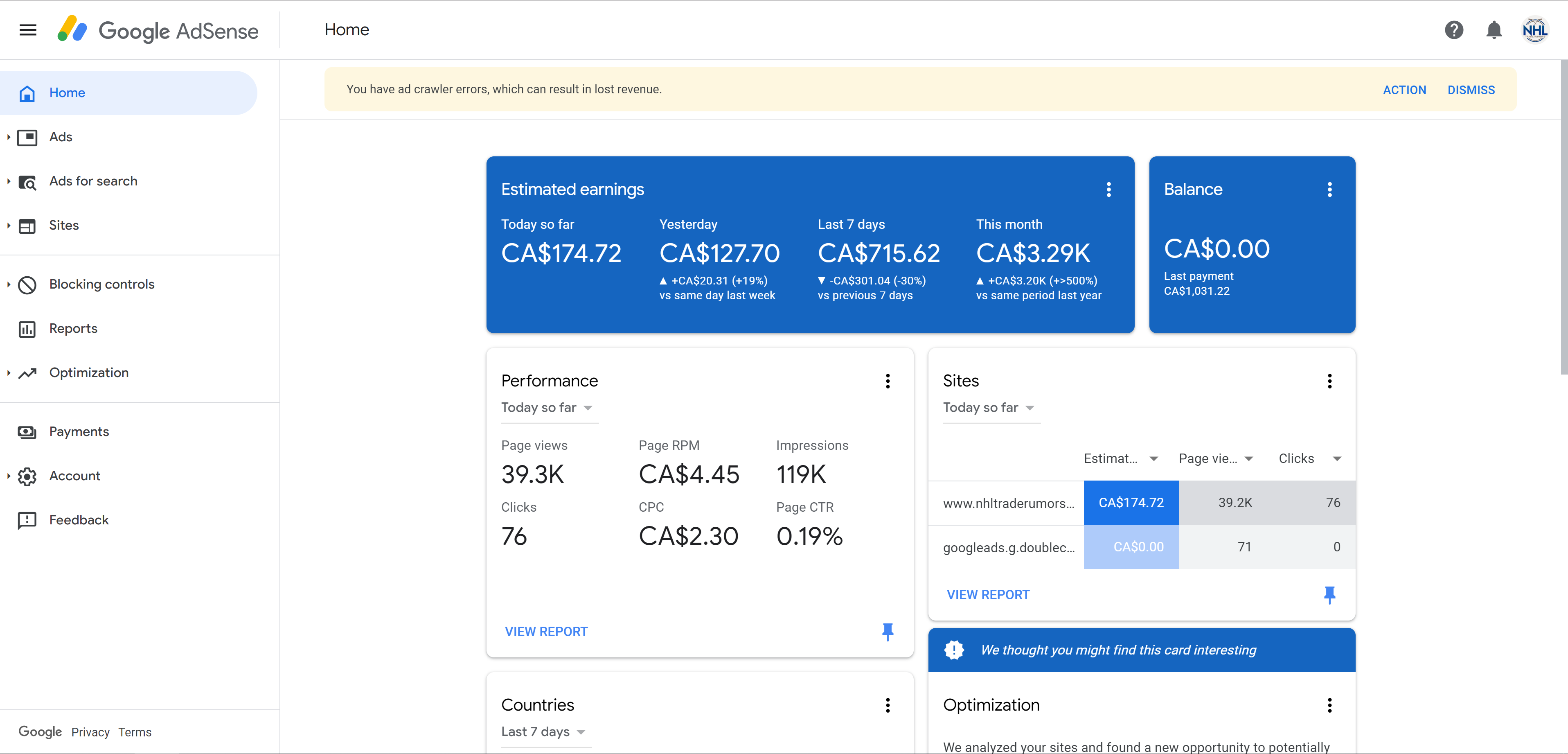
Before you can earn money through AdSense, you need to apply for an AdSense account. To get approved, your website must meet Google’s content and design guidelines. You’ll need to have quality content, a clean and user-friendly design, and a reasonable amount of traffic.
Once your application is approved, you’ll be able to create ad units and start displaying ads on your website.
b. Types of Ads to Display
Google AdSense offers a variety of ad formats to choose from. Here are some common types of ads to display on your gaming website:
- Display Ads: These are image or text ads that appear on your website. They can be placed in various positions on your site, including the header, sidebar, and footer.
- Video Ads: Video ads are highly engaging and can be shown before or during the game. Rewarded video ads, where users watch a video in exchange for in-game rewards, are especially popular in the gaming industry.
- Interstitial Ads: These full-screen ads appear between game levels or when users switch pages. Be cautious not to place these ads too frequently, as they can disrupt the user experience.
- Native Ads: These ads match the content and style of your website, making them less intrusive for users. Native ads can be integrated into game menus or between levels.
c. Optimize Ad Placement
The key to maximizing your AdSense earnings is strategic ad placement. Here are some tips:
- Place Ads Above the Fold: Ads that are visible without scrolling tend to perform better. Place them at the top of your website or in areas where users will naturally see them.
- Use Responsive Ads: Ensure that the ads are responsive, so they adapt to different screen sizes and devices.
- Avoid Overloading with Ads: Too many ads can slow down your website and annoy visitors. Strike a balance between ad placement and user experience.
Step 4: Drive Traffic to Your Website
Now that your website is set up and monetized, it’s time to attract visitors. The more traffic you have, the more opportunities you’ll have to earn revenue from AdSense. Here are some strategies to increase traffic to your website:
a. Search Engine Optimization (SEO)
Optimizing your website for search engines (SEO) is essential for attracting organic traffic. Use relevant keywords in your content, titles, and meta descriptions. Ensure your website loads quickly, is mobile-friendly, and has high-quality content that answers user queries.
b. Social Media Promotion
Promote your HTML games on social media platforms like Facebook, Twitter, Instagram, and TikTok. Create engaging posts, videos, and ads that link back to your website. You can also join gaming communities to share your games and build a following.
c. Collaborations and Guest Posts
Collaborate with other game developers or websites in the gaming niche. Writing guest posts for other blogs can also help drive traffic to your site.
Step 5: Monitor and Optimize Performance
Once your website is up and running, it’s important to monitor your performance and optimize for better results.
a. Use Google Analytics
Google Analytics will help you track website traffic, user behavior, and other important metrics. This data will give you insights into which games are most popular, which ads are performing the best, and where your traffic is coming from.
b. Test and Optimize Ads
A/B testing is crucial for optimizing ad performance. Test different ad formats, placements, and sizes to see which ones generate the most revenue.
c. Regularly Update Your Content
Add new games to your website regularly to keep players engaged. The more content you offer, the more likely users are to return to your site, increasing your ad impressions.
Conclusion
Creating an HTML games website and monetizing it with Google AdSense can be an exciting and rewarding venture. By developing fun and engaging games, setting up a user-friendly website, and integrating Google AdSense for monetization, you can create a profitable platform that attracts players and generates revenue. Stay focused on user engagement, optimize your site for SEO, and consistently analyze your performance to maximize earnings. With patience and persistence, you can build a successful HTML games website that provides both entertainment and income.